 Dyno
DynoFind and manage a member
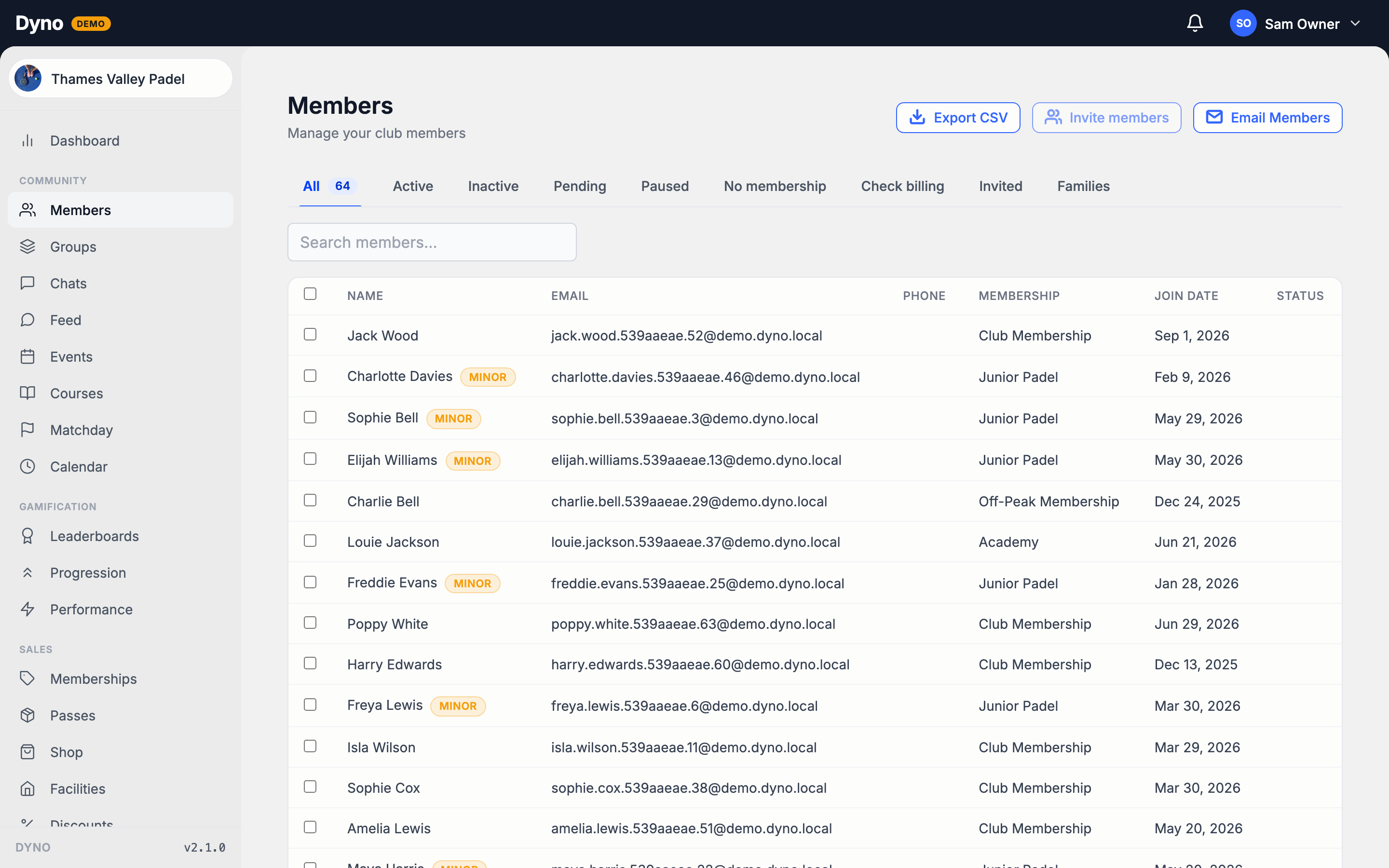
Search your members, read their badges, and change, pause or cancel a membership from the member page.
3 min readLast checked 15 September 2026For: ownerstaff
The Members page lists everyone in your club. Open a member to see their details, payments and attendance, and to manage their membership.
Find a member
- Open Members in the sidebar.
- Type a name into the search box.
- Narrow the list with the tabs: All, Active, Inactive, Pending, Paused, No membership and Check billing.
- Click a member to open their page.
Two more tabs are not members yet. Invited lists invites that have not been accepted, with Resend and Cancel on each. Families lists children waiting on a parent's consent. See Import members from a CSV.
What the badges mean
- Comp: full access, and Dyno collects nothing.
- Awaiting DD transfer: still paying your previous provider until their Direct Debit moves to Stripe.
- Managed: a parent or guardian books and pays for this member. The email shown is the guardian's.
- Check billing: their subscription is failing to collect, or their first payment has not settled and is nearly due.
- Awaiting payment: they were offered a membership and are paying for it in the app. There is nothing to fix.
- Awaiting purchase: a child whose parent buys their membership in the app. You may need to chase the parent.
The member page
The tabs along the top are Information, Communication, Payments, Activity and Attendance. Passes, Documents and Progression sit under More. Clubs with the Performance add-on also see Results.
- Information shows their personal details and their membership.
- Communication lets you message them. Click Open chat for a direct message, or Compose to send a notification.
- Payments shows what they have paid.
- Documents shows the documents they have signed.
Manage their membership
On the Information tab, the membership card shows the buttons that apply to this member:
- Assign Membership: give a membership to someone who has none.
- Change Plan: move them to a different plan.
- Move onto paid billing: start charging a member who has a comp membership.
- Pause Membership, Change Pause End and Resume Membership.
- Cancel Membership. See Cancel a membership.
Other things you can do from the list
- Export CSV downloads your member list.
- Email Members sends an email to all members.
- To remove people, tick them in the list, click Remove from club and confirm.